
Exports
CSV Export
Section titled “CSV Export”Insight Studio supports CSV export of violation details for all dimensions. This lets you take action on data quality issues outside of Salesforce.
What Gets Exported
Section titled “What Gets Exported”Each export contains the specific records that failed quality checks for a given dimension:
| Dimension | Export Contains |
|---|---|
| Completeness | Records with blank/null fields |
| Validity | Records with invalid values |
| Uniqueness | Records with duplicate values |
| Timeliness | Records with stale dates |
| Consistency | Records with contradicting fields |
| PII Detection | Records with detected PII |
Export Columns
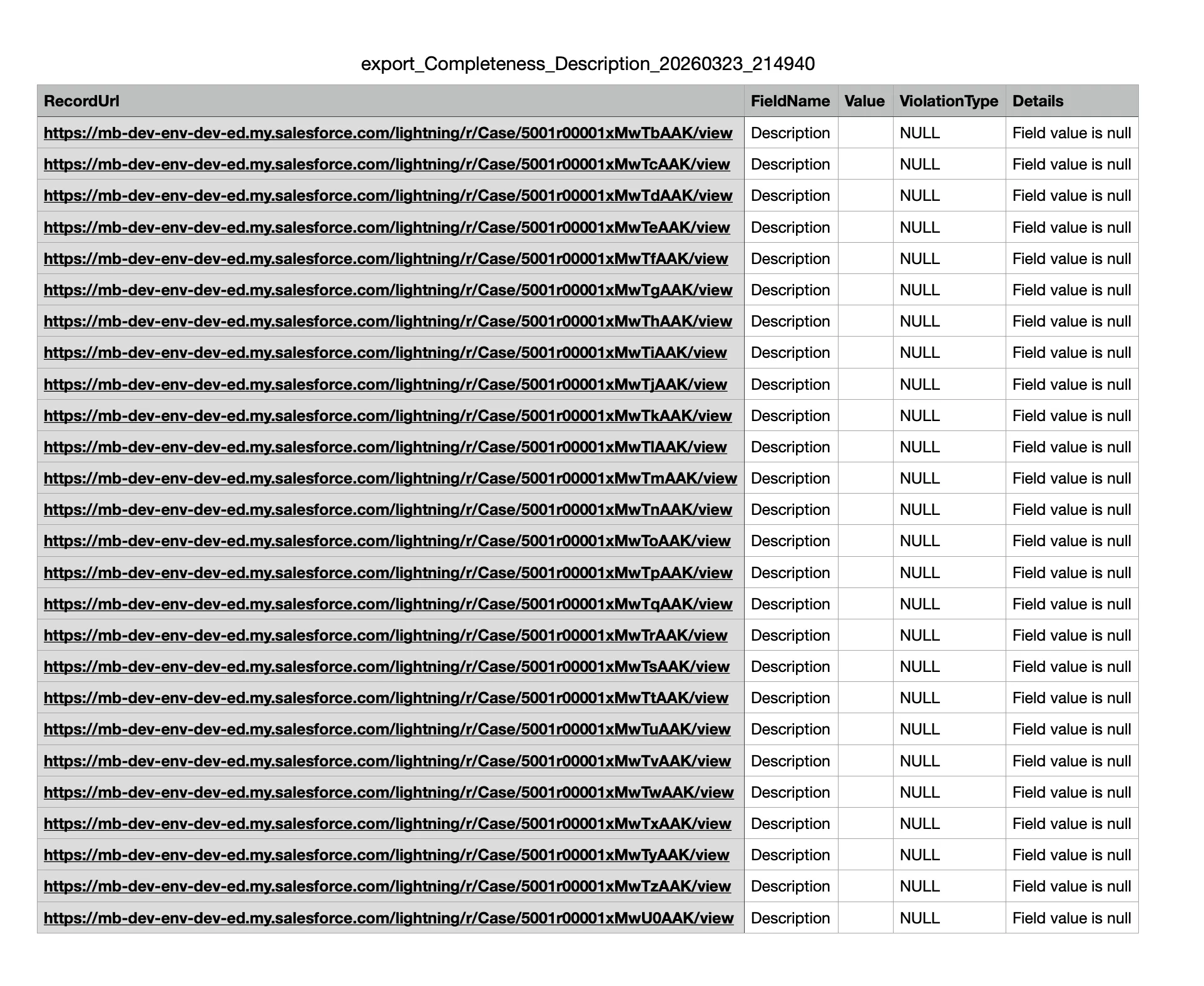
Section titled “Export Columns”Each CSV includes:
- Record ID — Salesforce record identifier
- Record Name — Display name of the record
- Field — The field that failed the check
- Current Value — The value that triggered the violation
- Violation Type — Specific type of quality issue
- Score — The field’s score for this dimension
How to Export
Section titled “How to Export”- Navigate to the dimension or field view in Insight Studio
- Click the Export button
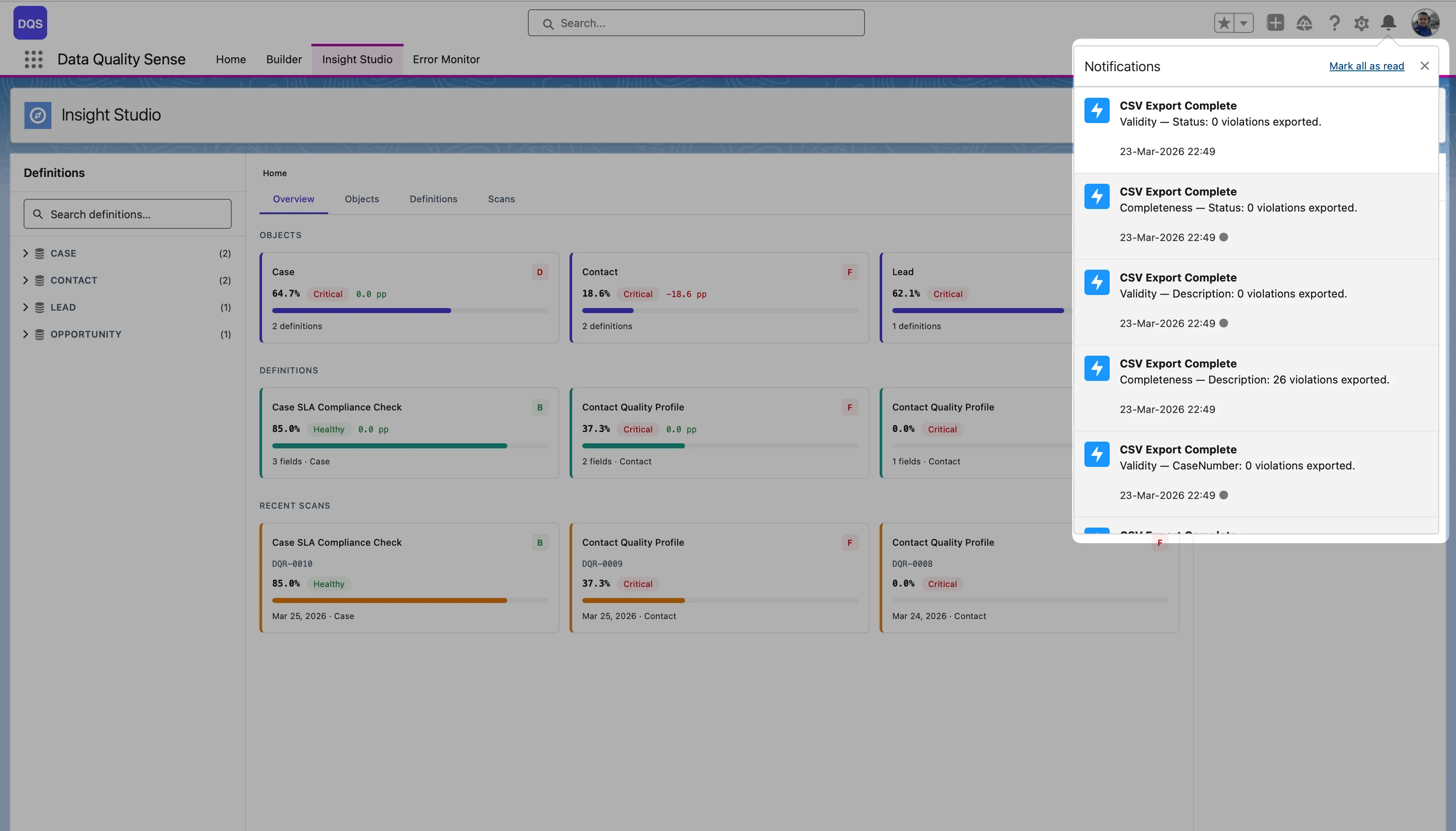
- The export runs as a background process — you receive a custom notification in the bell icon when it completes. Each notification shows the dimension, field, and number of violations exported (e.g., “Validity — Status: 0 violations exported”)
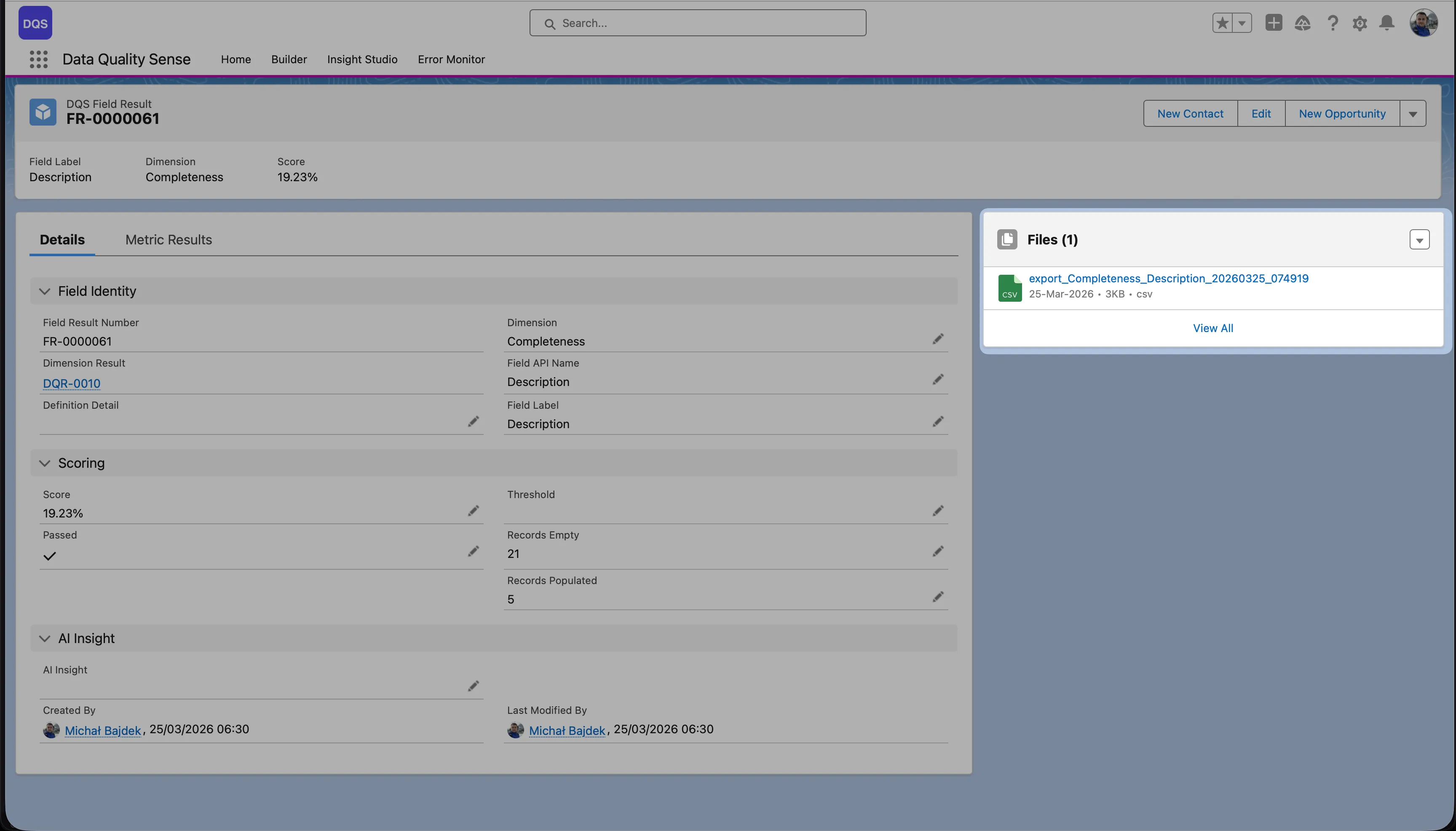
- Click the notification to navigate to the Field Result page in Salesforce, where the CSV is attached in the Files panel
The Field Result page shows the full context — field identity, dimension, scoring details (score, threshold, records empty/populated), and an AI Insight section. The exported CSV file is available for download in the Files panel on the right.
Below is an example of the exported CSV file contents:
Use Cases
Section titled “Use Cases”- Share data quality reports with stakeholders who don’t have Salesforce access
- Import violation lists into data cleansing tools
- Create action items in project management tools
- Compliance documentation and audit trails