
Uniqueness
What is Uniqueness?
Section titled “What is Uniqueness?”Uniqueness measures whether field values are distinct across records. High uniqueness means each record has a different value for the field — low uniqueness indicates duplicates.
How It Works
Section titled “How It Works”For each field, the Uniqueness strategy:
- Collects all non-null values across records in scope
- Identifies duplicate values
- Calculates:
(unique values / total populated values) × 100
Configuration
Section titled “Configuration”Global Settings
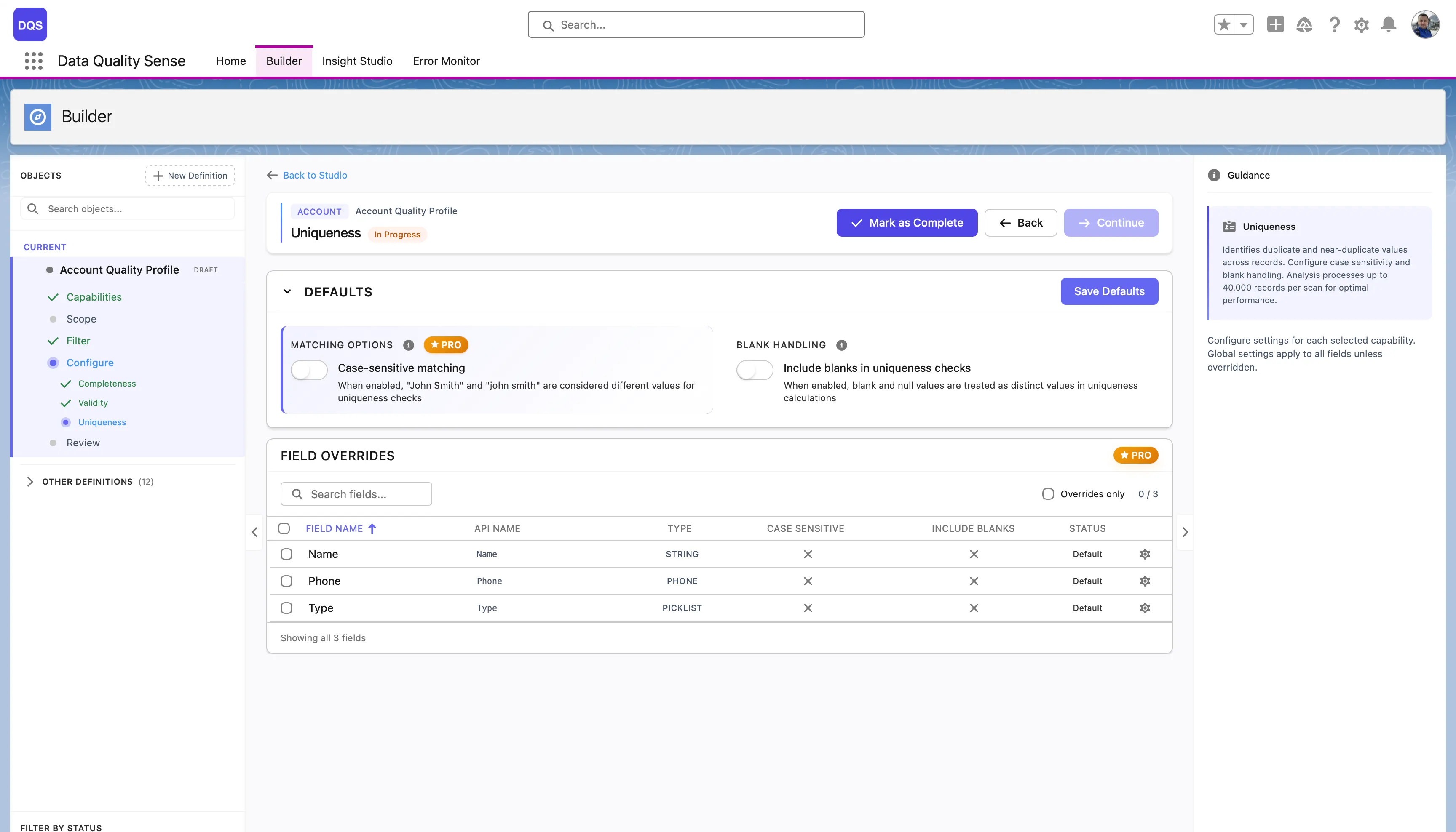
Section titled “Global Settings”The Defaults section controls global uniqueness options:
| Setting | Description |
|---|---|
| Case-sensitive matching | When enabled, “John Smith” and “john smith” are considered different values for comparison. When disabled, they count as duplicates. |
| Include blanks in uniqueness checks | When enabled, blank and null values are treated as distinct values in comparison calculations. |
The Field Overrides table below lists each field with its current Case Sensitive, Include Blanks settings, and status.
Per-Field Overrides
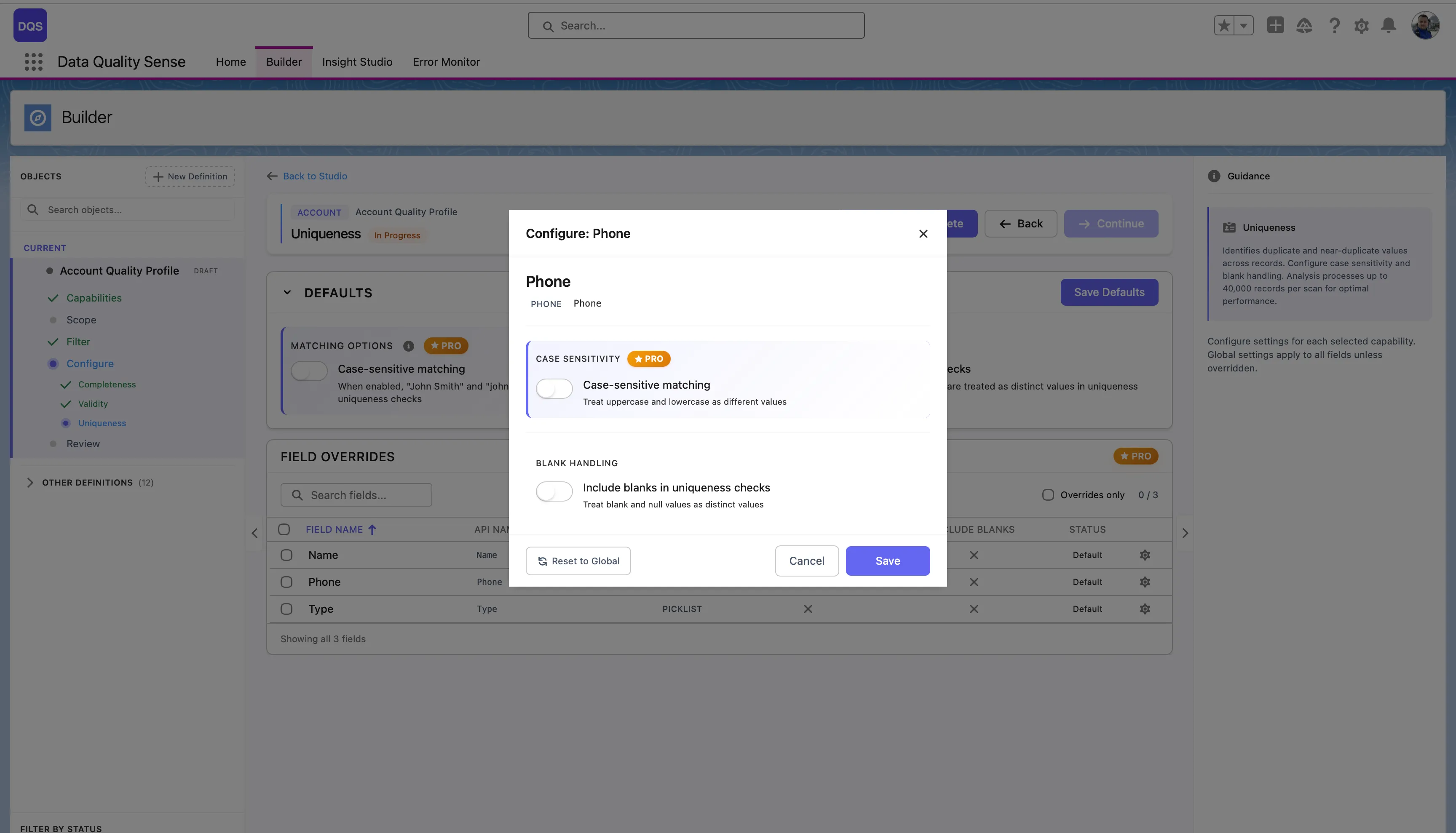
Section titled “Per-Field Overrides”Click on a field in the Field Overrides table to open its configuration modal. You can toggle Case-sensitive matching and Include blanks in uniqueness checks independently from the global defaults. Use the Revert to Global link to reset the field back to global settings.
Scoring
Section titled “Scoring”| Result | Score |
|---|---|
| All values unique | 100 |
| Some duplicates | Proportional to unique percentage |
| All values identical | Near 0 |
| No data | 0 |
Analysis Limit
Section titled “Analysis Limit”Uniqueness analysis processes up to 40,000 records per scan. For objects with more records, results reflect a representative sample. This limit exists to prevent Salesforce heap memory overflow, since the engine builds an in-memory map of value counts per field. Fields that exceed 40,000 distinct values are flagged as high cardinality fields.
Applicable Field Types
Section titled “Applicable Field Types”Uniqueness is most meaningful for:
- Email — should be unique per contact/lead
- Phone — often unique per person
- External IDs — must be unique by definition
- Text fields — names, descriptions
Less meaningful for:
- Boolean — only two possible values
- Picklist — limited value set by design
- Date — many records may share dates
Use Cases
Section titled “Use Cases”- Detect duplicate email addresses across Contacts or Leads
- Verify external ID fields are truly unique
- Identify data entry issues where the same value is copied across records
- Monitor deduplication efforts over time