
Timeliness
What is Timeliness?
Section titled “What is Timeliness?”Timeliness measures whether date and datetime fields contain recent, up-to-date values. It answers the question: “Is this data still fresh?”
How It Works
Section titled “How It Works”For each date field, the Timeliness strategy:
- Reads the date/datetime value
- Calculates the age (difference between the value and the current date)
- Compares the age against the configured freshness window
- Marks values older than the window as “stale”
Configuration
Section titled “Configuration”Global Settings
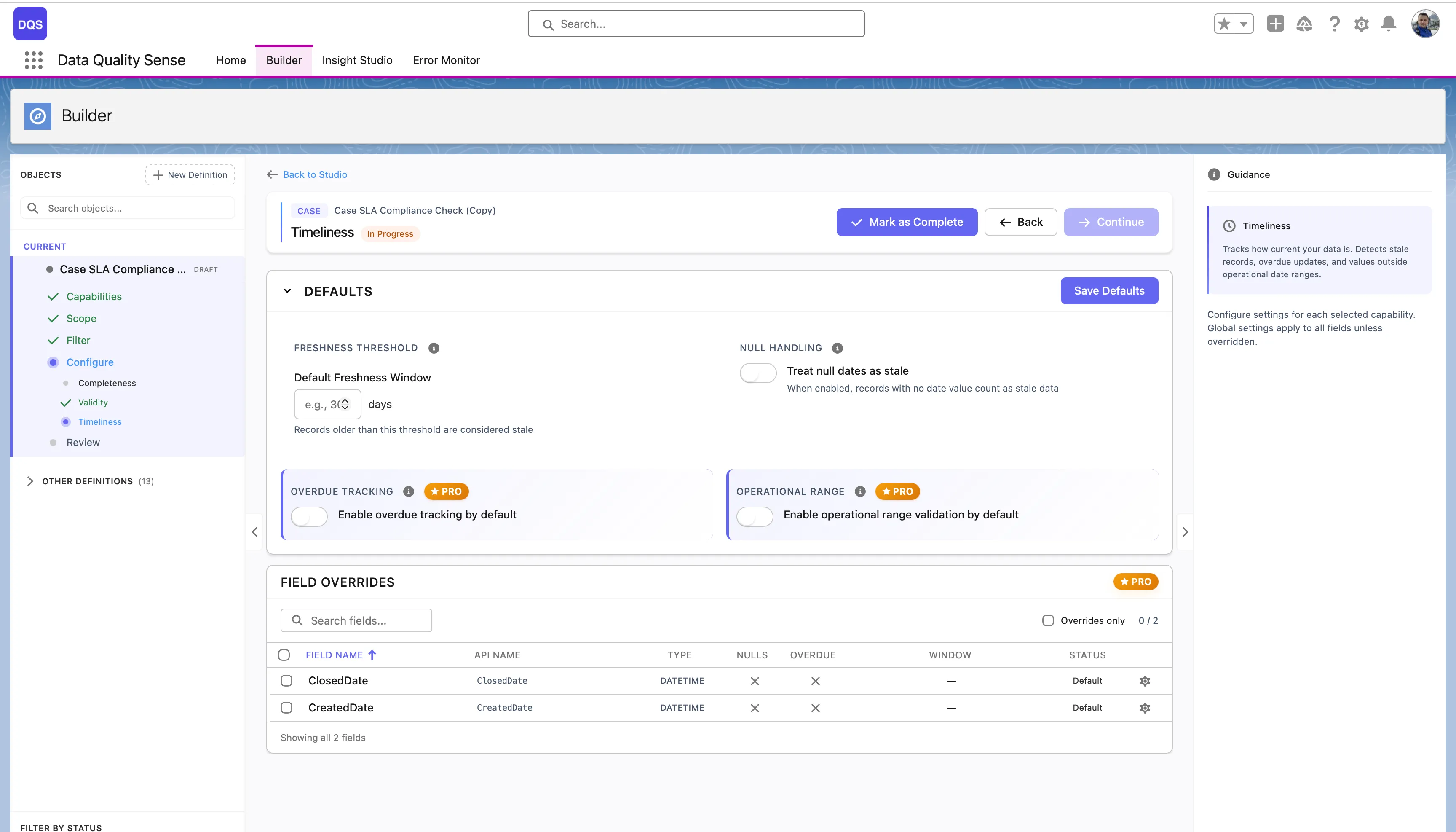
Section titled “Global Settings”The Defaults section controls global timeliness options:
| Setting | Description |
|---|---|
| Freshness Threshold | The Default Freshness Window in days — records older than this threshold are considered stale. |
| Null Handling | Treat null dates as stale — when enabled, records with no date value count as stale data. |
| Overdue Tracking | Enable overdue tracking by default. Flags records past their expected date. (PRO) |
| Operational Range | Enable operational range validation by default. Checks whether dates fall within an acceptable time span. (PRO) |
The Field Overrides table lists each date field with its current threshold, overdue, and window settings.
Per-Field Overrides
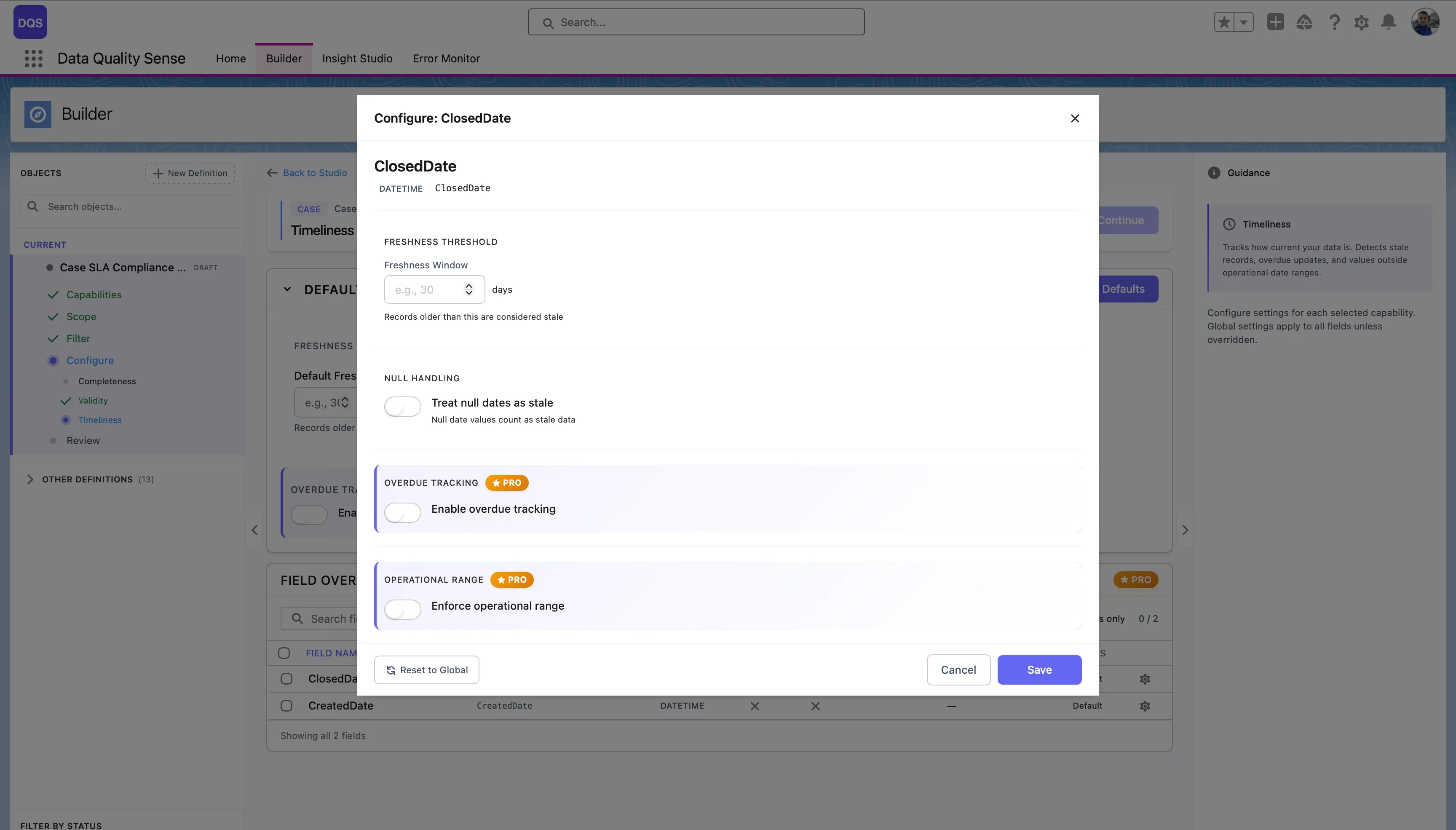
Section titled “Per-Field Overrides”Click on a field in the Field Overrides table to open its configuration modal. You can set a custom Freshness Threshold (in days), toggle Null Handling, Overdue Tracking, and Operational Range independently from the global defaults. Use the Revert to Global link to reset the field back to global settings.
Different date fields may have different freshness requirements:
| Field Example | Recommended Window |
|---|---|
LastActivityDate | 7 days |
LastModifiedDate | 30 days |
Contract_End_Date__c | 90 days |
Annual_Review_Date__c | 365 days |
Scoring
Section titled “Scoring”| Result | Score |
|---|---|
| All dates within window | 100 |
| Some stale dates | Proportional to fresh percentage |
| All dates stale | 0 |
| No data | 0 |
Use Cases
Section titled “Use Cases”- Monitor whether sales reps are keeping opportunity dates current
- Track stale contacts that haven’t been updated recently
- Ensure compliance-related dates are being maintained
- Identify “dead” records that may need cleanup or archival