
Consistency
What is Consistency?
Section titled “What is Consistency?”Consistency measures whether related fields contain logically compatible values. Data can be complete and valid individually, but still be inconsistent when fields contradict each other.
How It Works
Section titled “How It Works”The Consistency strategy evaluates relationships between pairs or groups of fields:
- Identifies configured consistency rules (field relationships)
- For each record, checks whether the related fields satisfy the rule
- Calculates the percentage of records passing all consistency checks
Configuration
Section titled “Configuration”Global Settings
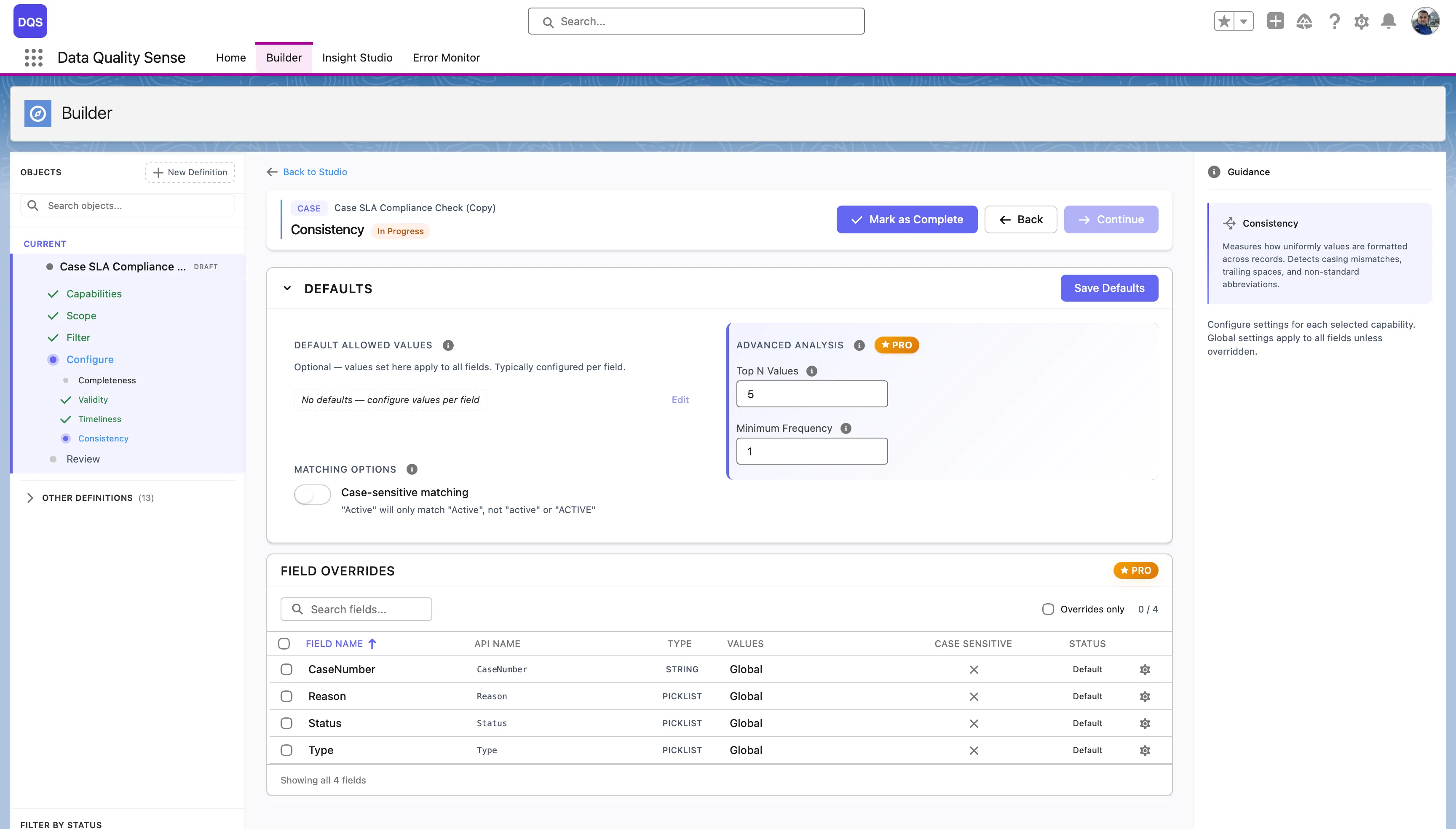
Section titled “Global Settings”The Defaults section controls global consistency options:
| Setting | Description |
|---|---|
| Default Allowed Values | No defaults are set globally — configure allowed values per field to define what’s considered consistent. |
| Case-sensitive matching | When enabled, “Active” and “active” are treated as different values. Disabled by default. |
| Top N Values | (PRO) Analyze only the top N most frequent values for consistency checks. |
| Minimum Frequency | (PRO) Ignore values that appear fewer times than this threshold. |
The Field Overrides table lists each field with its current allowed values source, case sensitivity setting, and status.
Per-Field Overrides
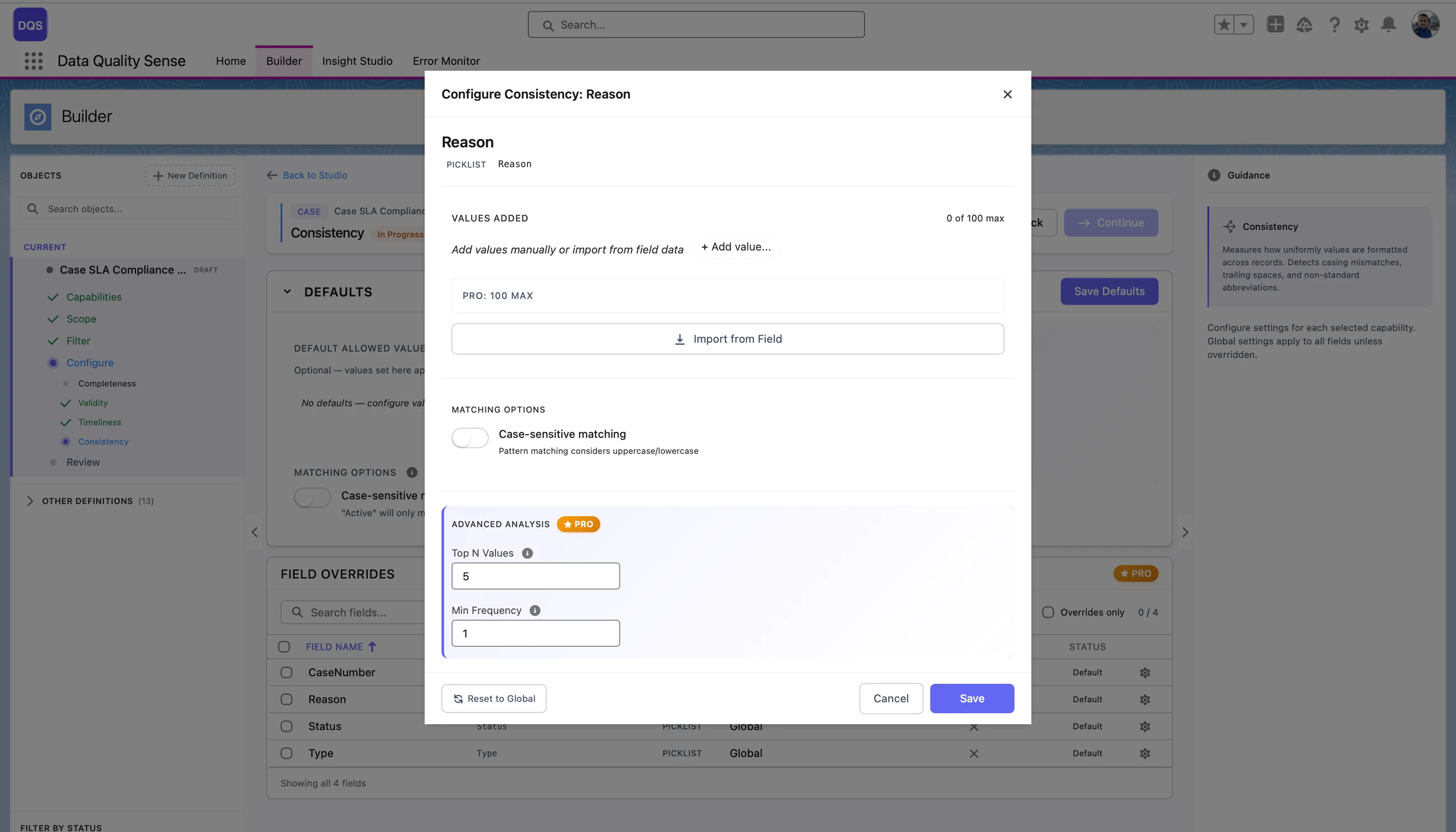
Section titled “Per-Field Overrides”Click on a field in the Field Overrides table to open its configuration modal. You can define allowed values for that field by adding them manually or importing from field metadata. Toggle Case-sensitive matching and configure Advanced Analysis settings (Top N Values, Min Frequency) independently from the global defaults. Use the Revert to Global link to reset.
Import from Field
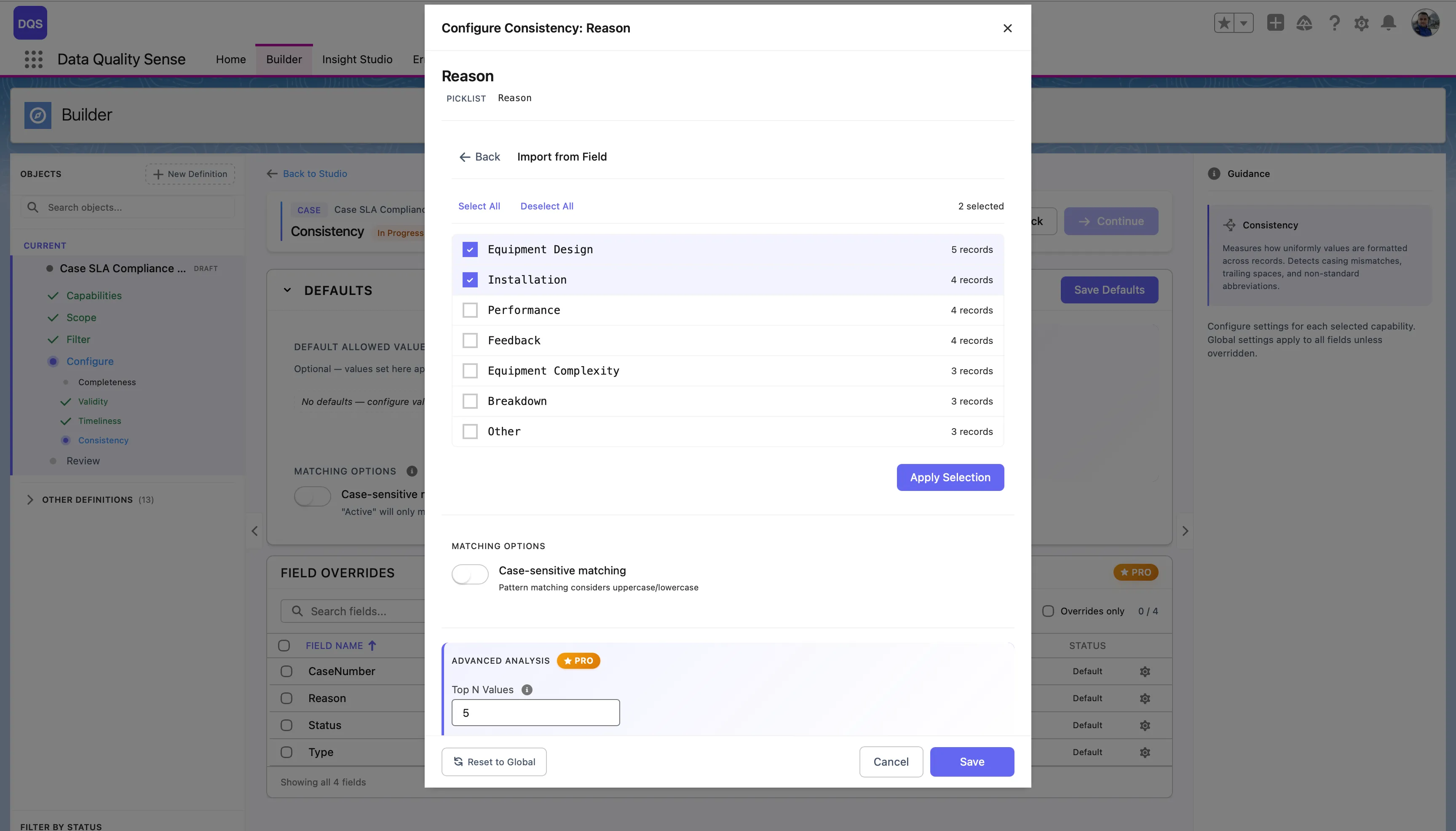
Section titled “Import from Field”For picklist fields, click Import from Field to load all existing values directly from the field metadata. The import dialog shows each value with a checkbox and the number of records using it, so you can select which values to treat as valid. Click Apply Selection to confirm.
Scoring
Section titled “Scoring”| Result | Score |
|---|---|
| All records consistent | 100 |
| Some inconsistencies | Proportional to consistent percentage |
| All records inconsistent | 0 |
| No data | 0 |
Use Cases
Section titled “Use Cases”- Detect opportunities where Close Date is before Created Date
- Find accounts where Billing and Shipping addresses contradict
- Identify leads where Country doesn’t match the phone number format
- Monitor cross-field data entry quality