
Definition
A scan configuration that specifies which object, fields, and quality capabilities to evaluate. Each definition produces a set of results when scanned.
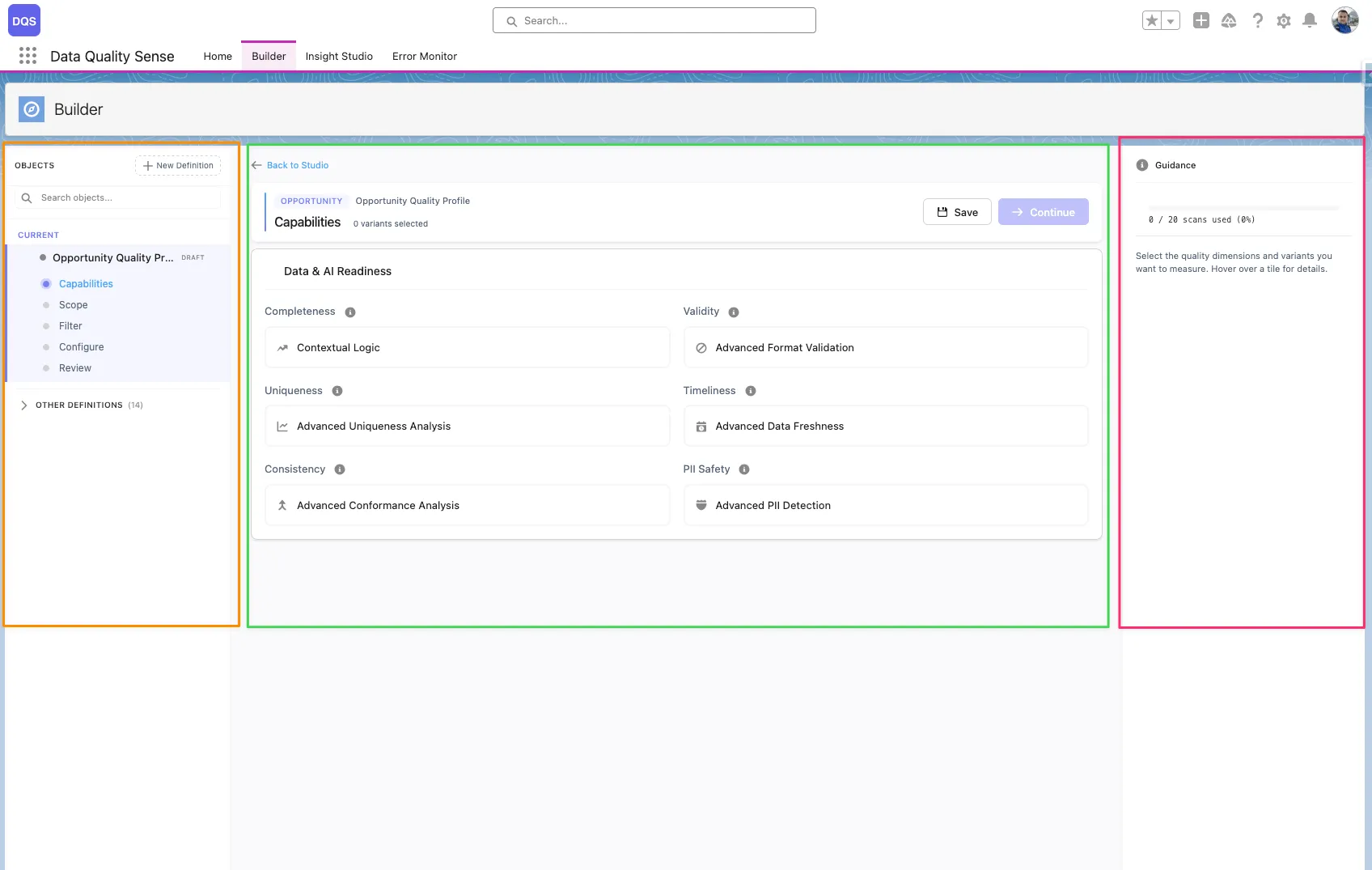
The DQS Builder is a multi-step configuration wizard that lets you define exactly how your data quality should be measured. It guides you through selecting objects, picking fields, choosing quality dimensions, and setting thresholds.
The Builder uses a 3-zone layout:
Definition
A scan configuration that specifies which object, fields, and quality capabilities to evaluate. Each definition produces a set of results when scanned.
Capability
A quality dimension like Completeness or Validity. Each capability can be configured globally or overridden per field.
Definition Detail
A record linking a specific field to a definition, storing per-field configuration overrides for each capability.
Lifecycle
Definitions progress through stages: Draft → Ready → Active → Obsolete. Only Active definitions can be scanned.
Each stage validates your input before allowing you to proceed to the next step.